

Using the Review Mode: Discuss and Approve Files Together
Learn how to activate the review mode in VAULO to share photos and videos with external agencies or partners. This guide shows you step by step how to share a folder, create a presentation in review mode, and share the link with commenting, sketching, and rating features. Prerequisite: You have access to a folder in your VAULO Digital Asset Management System.
Use the review mode to discuss photos and videos with external agencies, for example. In this how-to guide, you will learn how to use the review mode in VAULO.
Share the folder
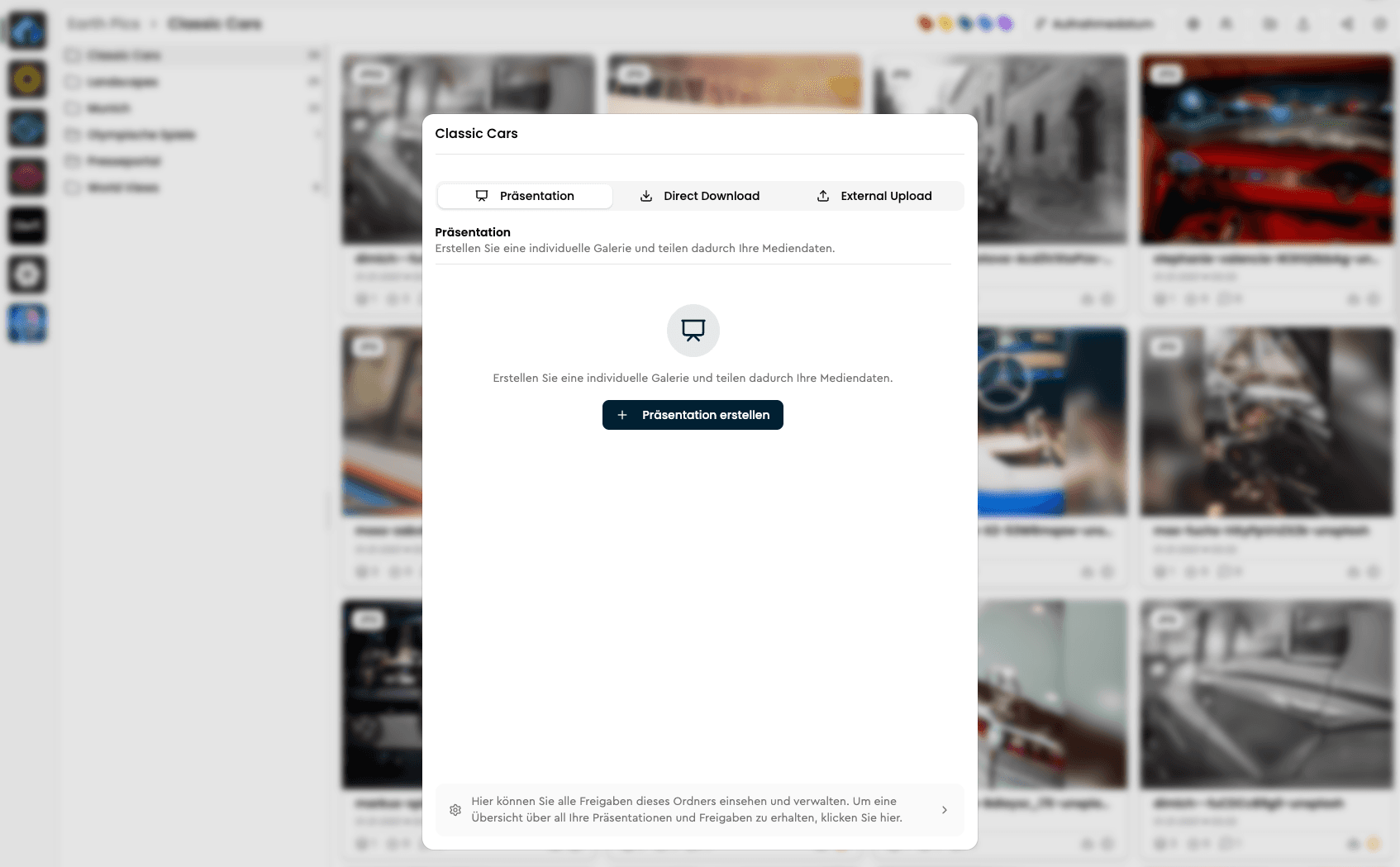
First, navigate to the folder you want to share for review. Then click on "Share folder". You can find this menu item, for example, by right-clicking on the folder. The "Share folder" dialog will then open. Next, click on "Presentation".
Select review mode
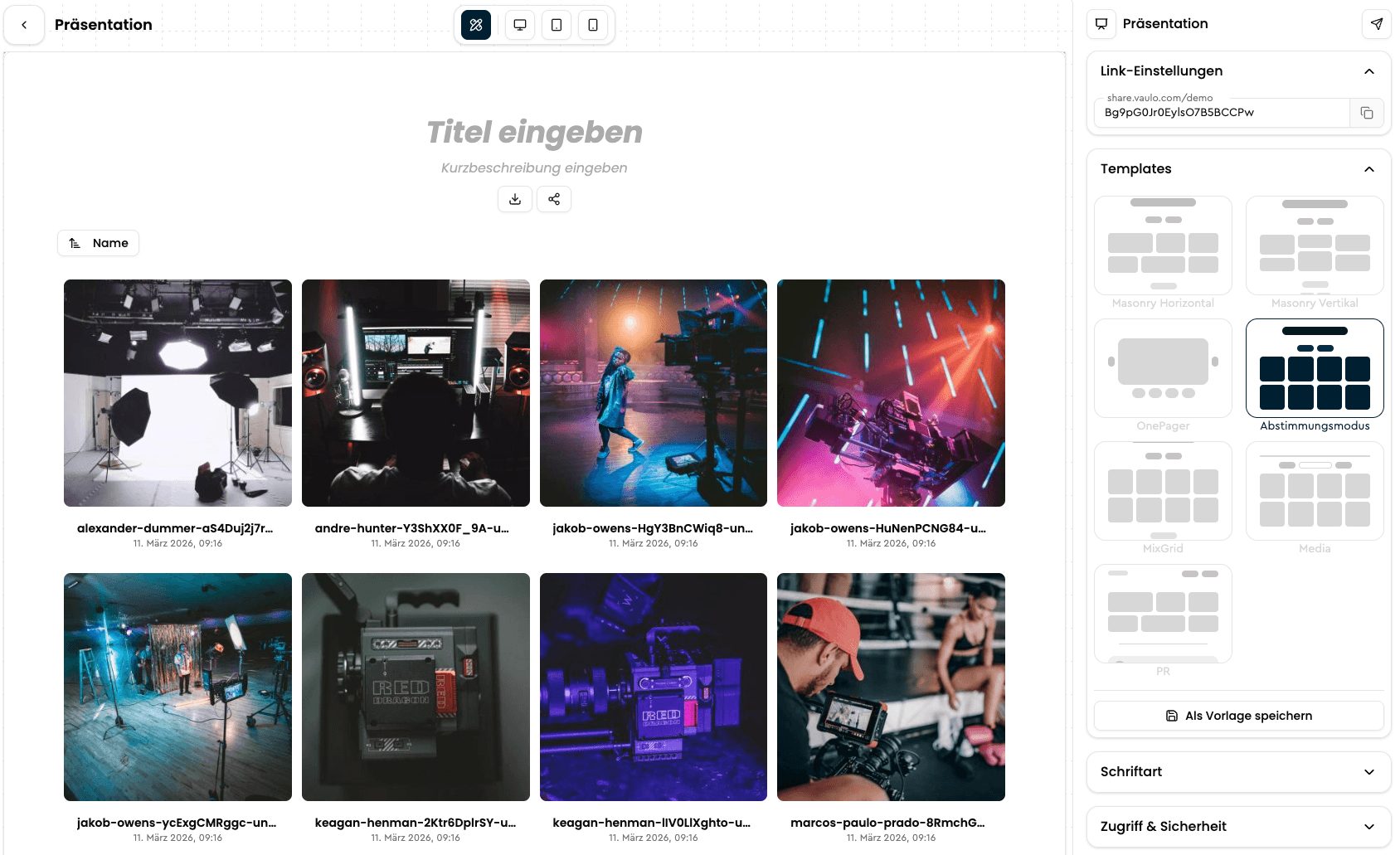
Now our module for creating presentations opens. Various layouts and settings are available. Under the menu item "Select layout", you will find the complete overview of presentation types that VAULO offers. Select the "Review mode" option.
Customize and share the link
You can then customize the link or activate settings such as password protection. Share the newly created presentation link with the person you want to discuss your media files with. This person can now comment on, sketch on, mark with labels, or rate the corresponding image with stars.
Comment on a moment of a video and view versions
Recipients open a file with one click. On videos, a new comment is pinned to the moment the video is at — the time next to "Senden" (Send) shows it. To write a general comment about the whole video, click the time first to deselect it. Each comment gets a marker below the video; clicking the marker or the comment jumps to that moment.
If a file has several versions, recipients pick the version at the top right. The dialog then shows that version's image or video and the comments written on it.
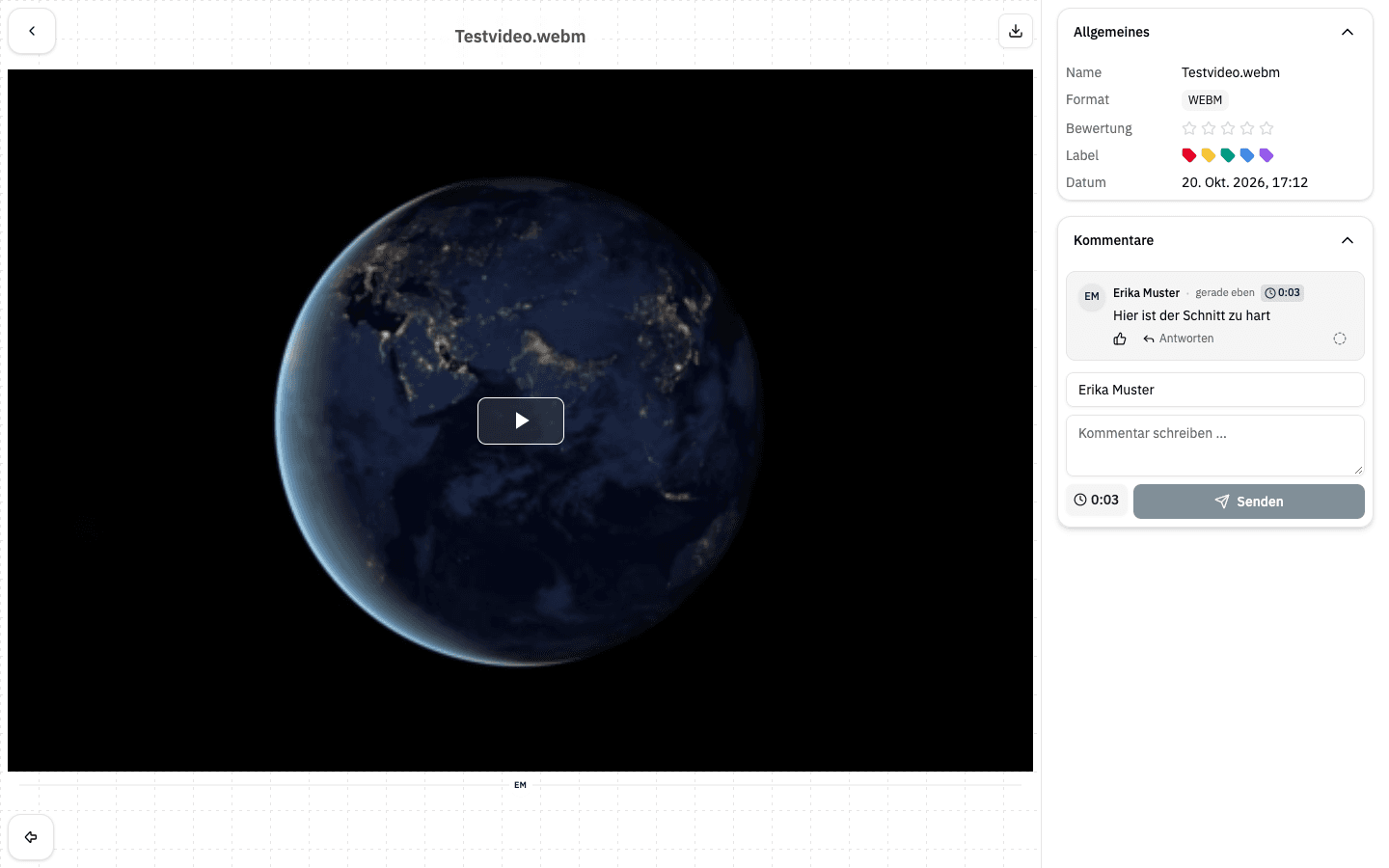
Comments, drawings, labels, and star ratings are all immediately visible to you in the backend.
To switch an existing presentation, apply the "Abstimmungsmodus" template in the presentation editor under "Design" → "Template", or tick "Absprachemodus aktivieren" (enable review mode) under "Zugriff & Sicherheit" (access & security). Your own templates can bring the review mode along if it was enabled when the template was saved.