

Presentation: Press Release
Learn how to prepare a presentation in VAULO as a digital press release and then distribute it via FeedPages.
Use our "Press release" presentation layout to provide journalists, stakeholders, or other contacts with information in the form of a digital press release.
To learn how to generally share files or folders as a presentation, see the guides Sharing Files and Sharing Folders.
Prepare the presentation
Open the presentation you want to distribute as a press release. You can either create a new presentation for this or continue editing an existing one. In Presentation Studio, you then arrange the content, structure, and appearance so that everything appears on the FeedPage exactly as intended.
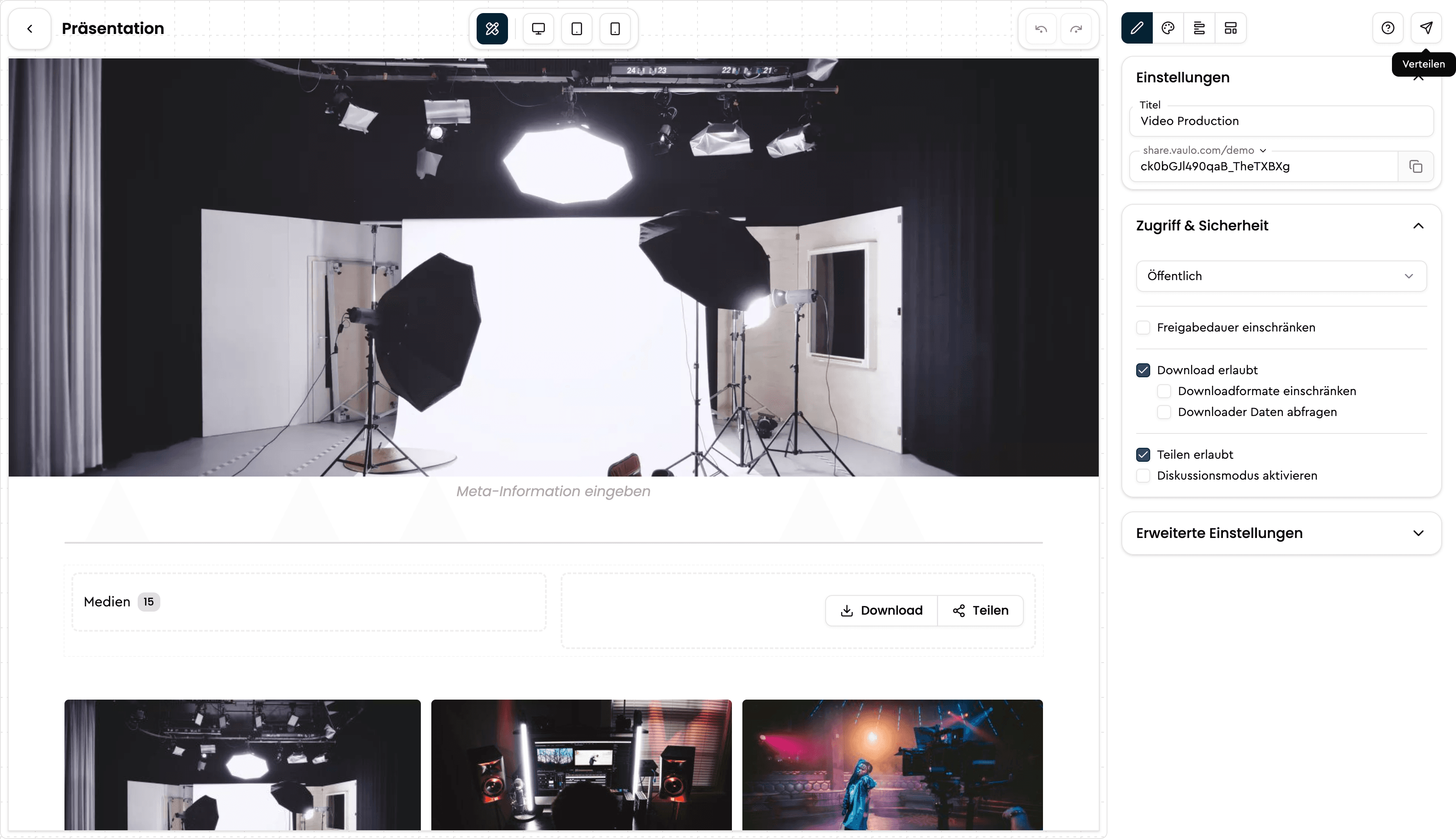
In the current Presentation Studio, press release content is assembled dynamically from the blocks and media you use. You do not need to fill in static fields such as overline or title in a fixed form layout.
Distribute the presentation via FeedPages
Once your presentation is ready, click the button in the top right. A dialog will open. In the FeedPage tab, select the FeedPages through which you want to distribute the current presentation.
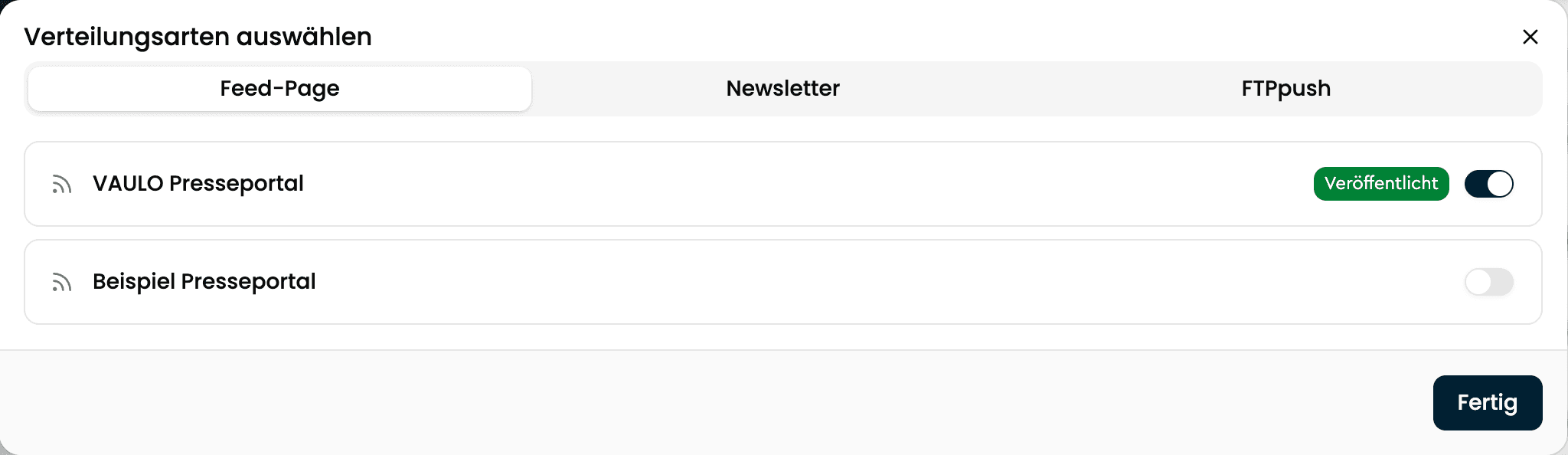
With the help of our add-ons, you can use VAULO to publish press releases via our FeedPages in the future and send them directly to the desired contacts using our newsletter feature. If you have any questions about these add-ons, feel free to contact us at support@vaulo.com.
Shared Folders and Files
Manage and review all your shared content in your Digital Asset Management System. Whether you need to share images, videos, or documents with team members or external collaborators, this step-by-step guide will walk you through the process of managing shared content in your DAM system.
Creating a Presentation Template
Learn how to save reusable presentation templates in Presentation Studio and use them again later.