

Set Up Email Provider
Configure your email provider in VAULO so you can send newsletters.
To send a newsletter, you need to configure your email provider in VAULO.
To do this, go to the newsletter settings by clicking on the gear icon while you are in the Newsletter Add-On. You will then be taken to the Newsletter Settings page.
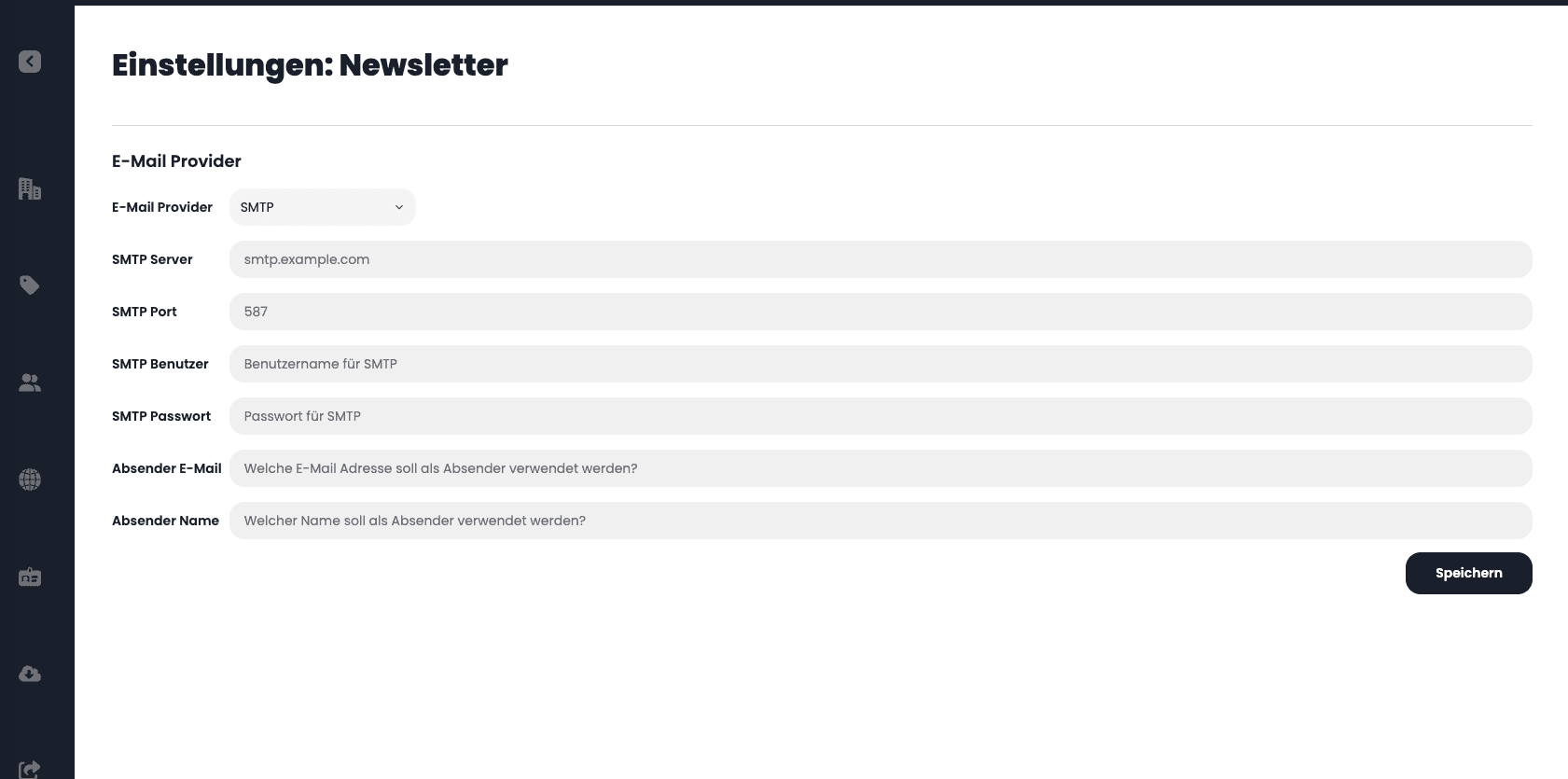
Please enter the following information there:
SMTP Server, SMTP Port, SMTP User, SMTP Password, Sender Email, and Sender Name. You will receive this data from your email provider. You are completely free in your choice of email provider. The following list provides a small selection of possible providers:
Microsoft
Twilio SendGrid
Mailgun
mailchimp
Please note that using an email provider - regardless of your VAULO account - may incur additional costs. These must be paid to the respective provider and are not connected to your VAULO account.
After setting up your email provider, you can send your first press release as a newsletter.
Add New Template
Create templates with an internal name, subject, and variables for your newsletter.
Overview
With the VAULO Contacts Add-On, you have full control over your contact lists and distribution groups in VAULO. It serves as the foundation for the VAULO Newsletter and VAULO FTPpush add-ons. Access your contacts and groups directly from both modules and benefit from a seamless, efficient workflow. Reach your target audience faster and more precisely!