Blocks & Structure
Assemble your presentation from freely combinable blocks – content only in Simple mode, the full structure in Advanced mode.
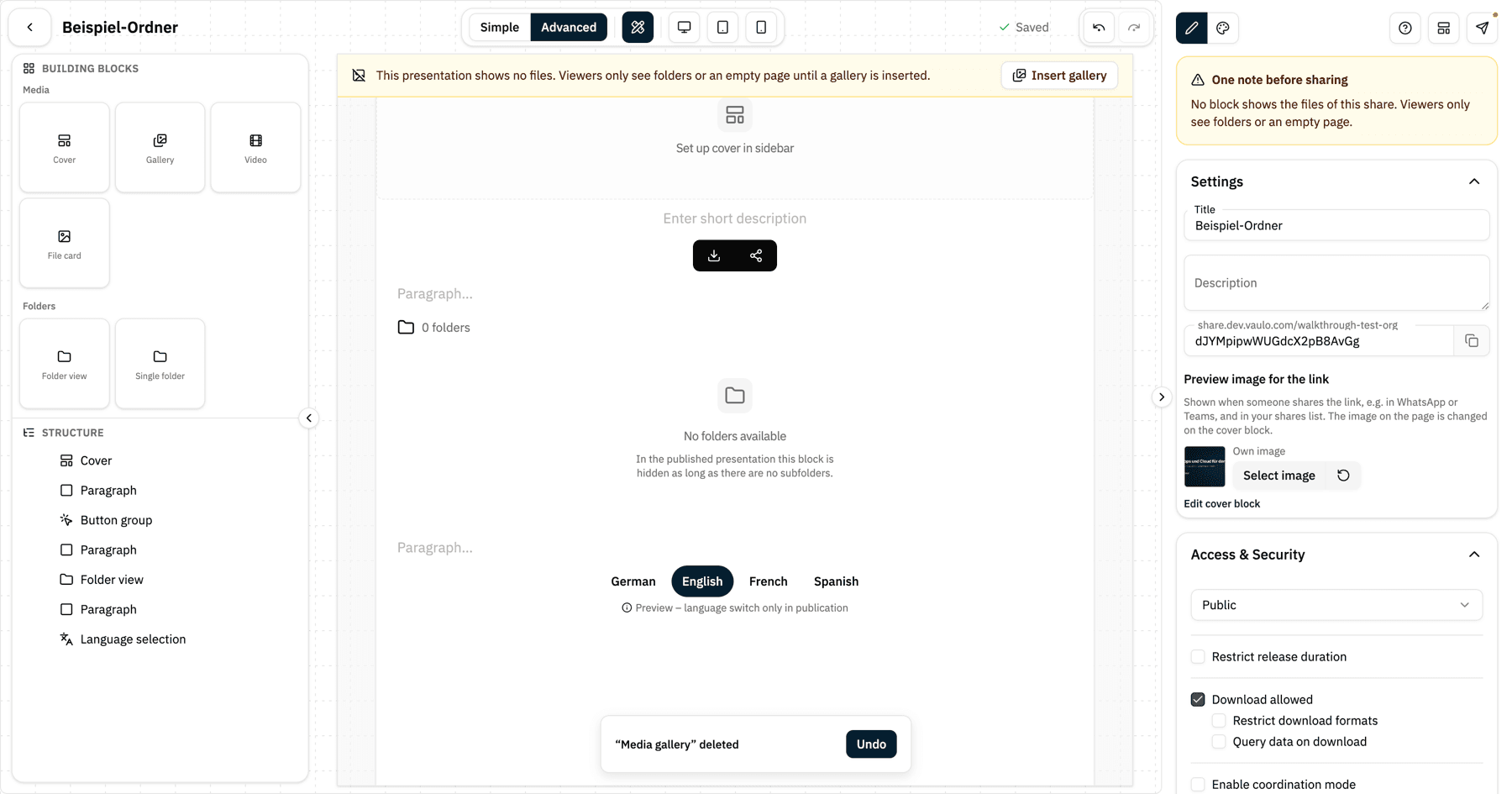
A presentation is made of blocks. The panel on the left of the preview shows the Blocks you can insert at the top and the Structure below – every block of your presentation in order. As soon as you click a block, in the preview or in the structure, the panel switches to that block's settings. The arrow in the top left takes you back to the blocks.
Simple and Advanced
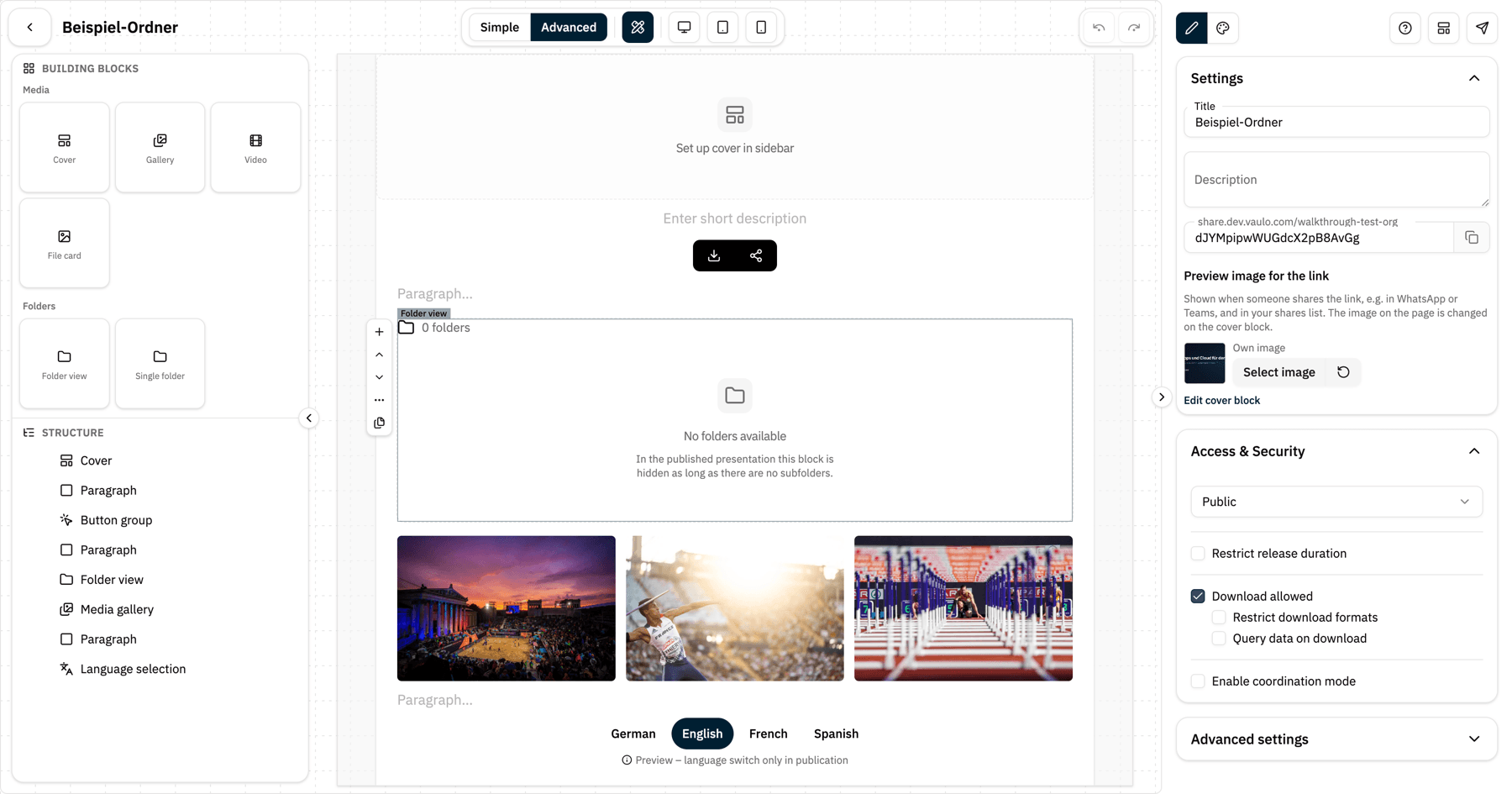
The studio opens in Simple mode. There the structure of the presentation is fixed: you edit texts, the cover and the content options of every block – for example which folder a gallery shows or how it is sorted – but you cannot add, move or delete blocks. That is enough for most shares: pick a template, adjust the texts, share.
The Simple / Advanced switch at the top centre takes you to Advanced mode. Only there do the block palette, the insert points in the preview, the context menu and the Advanced band in the block settings appear. Your choice is remembered in your browser.

Inserting a block
Switch to Advanced mode.
Click a block in the palette – it is inserted above the currently selected block. Or drag and drop it onto a spot in the preview or in the structure.
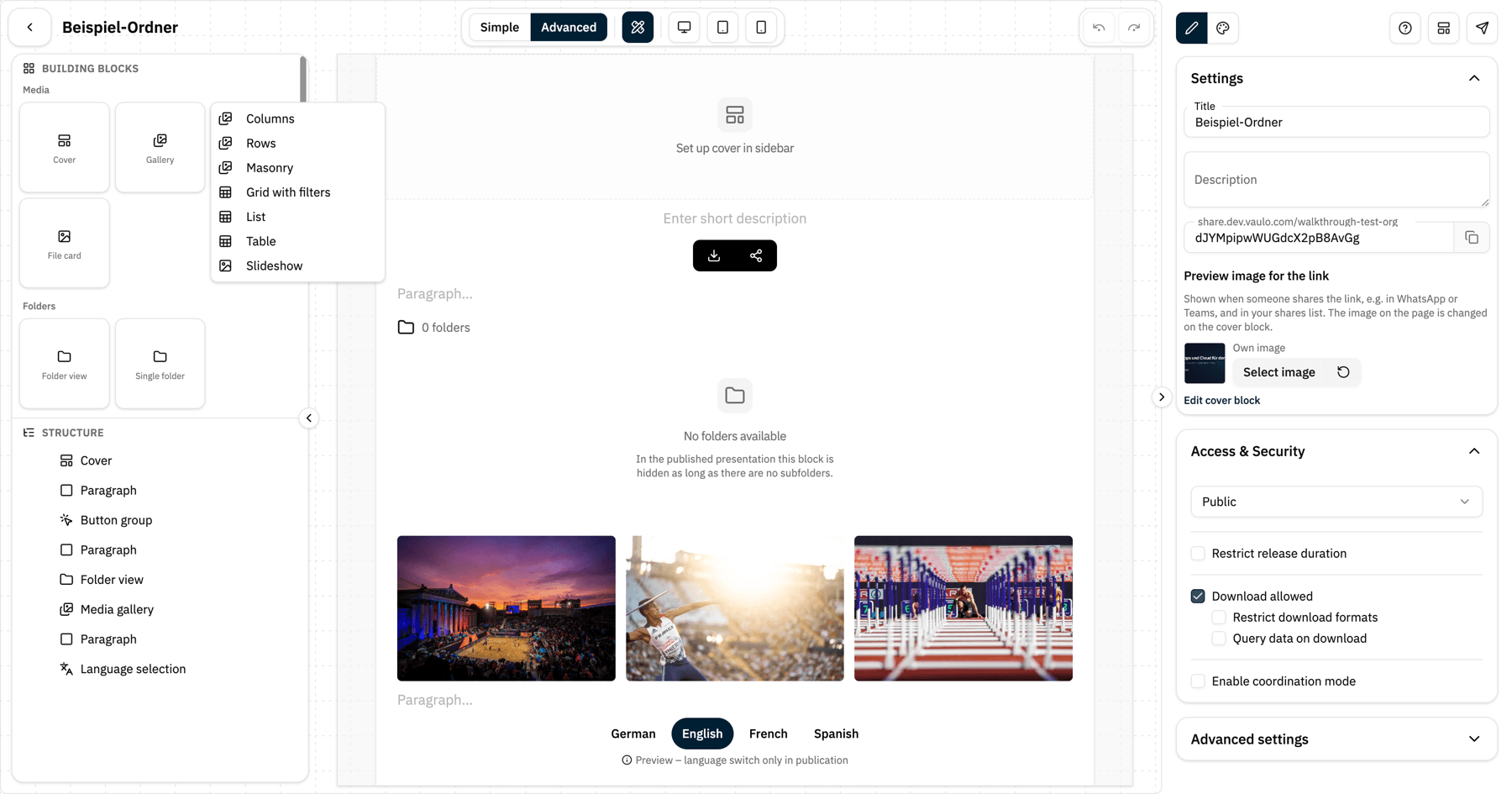
The Gallery and Buttons tiles bundle several blocks. A click opens a chooser: for Gallery you pick columns, rows, masonry, grid with filters, list, table or slideshow; for Buttons a button group, a single button, download or share. Dragging inserts the default variant.
An empty presentation offers Insert photo gallery and Insert text right in the preview.
Arranging blocks
In the Structure you drag blocks to a new position – including into the cells of a multi-column layout. In the preview, a small bar with move arrows and More actions appears above the selected block. Right-clicking a block additionally lets you insert a block above or below, move, duplicate or delete it.
Editing text
Click a heading, paragraph, or quote to select the block. If you then simply start typing, editing begins right away – no double-click needed. What you type is added at the end of the text. If you click into a text block that is already selected, the cursor lands exactly where you clicked.
Linking text
Double-click a text, for example a paragraph or a heading, and select the words that should become the link.
In the formatting toolbar above the selection, click , or press ⌘ K (Mac) or Ctrl + K (Windows).
Enter the address and click Apply. The link is highlighted in the text right away and saved as soon as you leave the text.
Bold, italic or coloured words keep their formatting. To change a link, select a word inside it and open the dialog again: it shows the whole link text and the current address. For the individual fields see Edit Link.
Block settings
A block's settings are grouped into sections. Content and Appearance come first – what you need most often. At the end sits the collapsed Advanced band with layout (full width or content width), spacing, and visibility and conditions. This band only exists in Advanced mode.
The menu in the top right of the block settings lets you duplicate or delete the block and, in multi-page presentations, choose the pages it is shown on.
Deleting blocks
Delete lives in the More actions menu of the block bar, in the right-click menu, in the block settings menu, and on the Delete key. There is deliberately no trash icon you can hit by accident. Every delete briefly shows a message with Undo.
If you delete the last block that shows the files of your share – the last gallery, media overview or one-pager gallery – the studio asks first. Without such a block, viewers only see folders or an empty page, in every subfolder too. As long as there is no gallery, the notice This presentation shows no files with the button Insert gallery stays above the preview – in both modes.