

Settings
Login page appearance, registration mode, terms, email templates with placeholders, sign-in copy, and deleting a VisitorHub portal.
On the Settings tab you control what happens with unknown email addresses, which emails are sent, and which texts guests see on the sign-in screens.
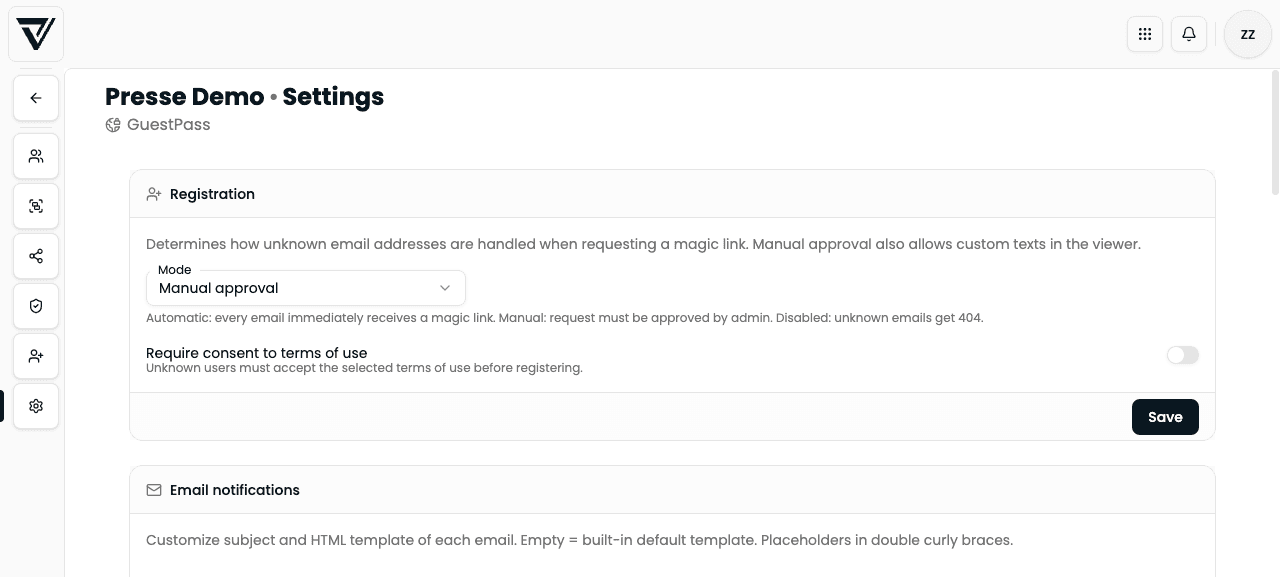
Registration
The mode defines how unknown email addresses are handled when someone requests a magic link or access:
| Mode | Behaviour |
|---|---|
| Automatic approval | Every unknown email gets access immediately (e.g. magic link) |
| Manual approval | A registration request is created; you must approve or reject it before the person gets access |
| Disabled | Unknown addresses are rejected (no self sign-up); access only for manually created / imported users |
With Manual approval, the Registration requests tab appears in the portal navigation.
Require acceptance of terms
Optionally enable Require acceptance of terms and pick a published document from the Legal Hub (terms category). Unknown users must accept before registration continues. Without a selected document the option cannot be saved.
Email notifications
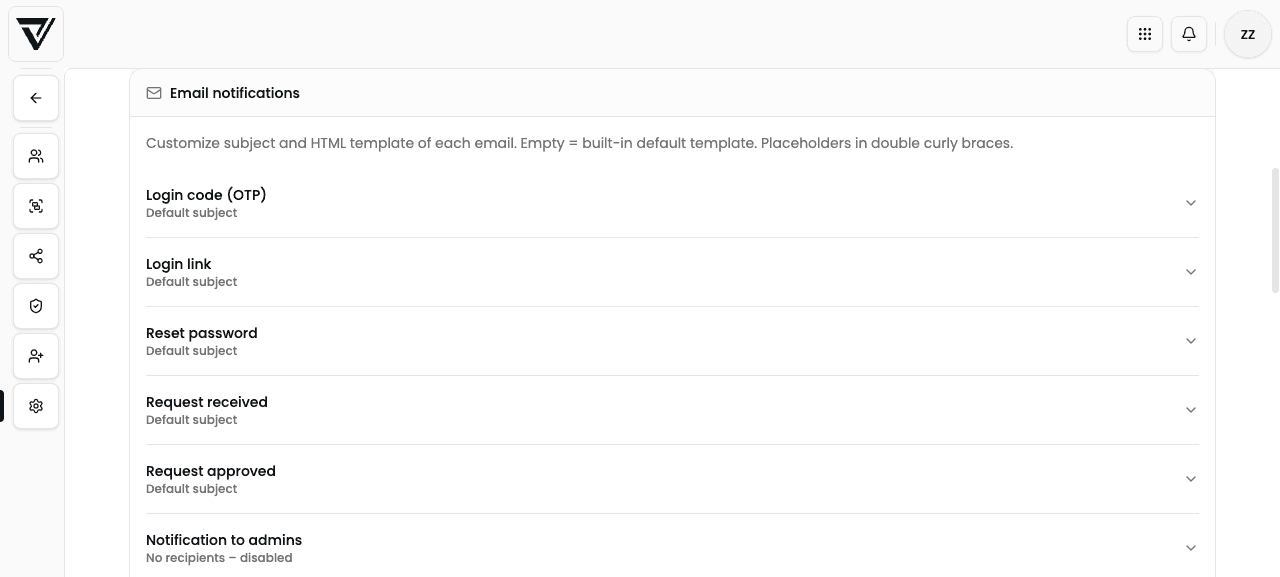
For each email type you can customize subject and HTML template. Empty = built-in default. Placeholders use double curly braces.
Templates overview
| Template | When it is sent |
|---|---|
| Login code (OTP) | One-time code by email |
| Sign-in link | Magic link to sign in |
| Reset password | “Forgot password” |
| Request received | Guest submitted a registration request (manual approval) |
| Request approved | Admin approved the request (includes the magic link) |
| Notify admins | New request – only if recipients are configured |
Notify admins
Under Notification recipients you enter email addresses that are informed about new registration requests.
- No recipients → admin notification is disabled (shown as “No recipients – disabled”)
- You can also customize subject and HTML for this email
Placeholder reference
Not every template supports every placeholder. Common values:
| Placeholder | Use |
|---|---|
{{email}} | Person’s email |
{{idpName}} | VisitorHub portal name |
{{otp}} | 6-digit one-time code |
{{magicLink}} | Sign-in / approval link URL |
{{expiresIn}} / {{expiresInMinutes}} | Validity duration |
{{resetUrl}} | Password-reset link |
{{supportEmail}} | Support address (if used in the default template) |
{{requestDate}} | Request time (admin email) |
Unknown or irrelevant placeholders are usually left as-is – test templates after saving with a trial send.
Login page
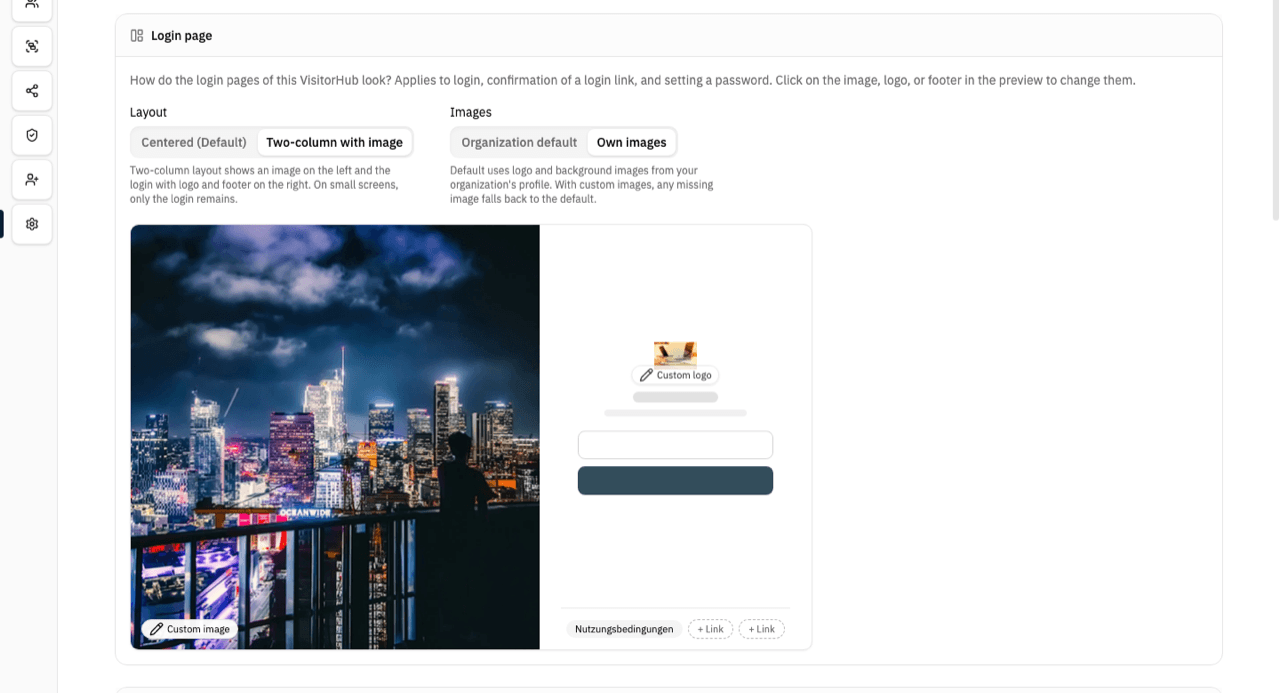
In the Login page block you decide what this portal's sign-in pages look like. The setting applies to the login itself, the confirmation of a login link, and setting a password. Every change is saved immediately.
Layout
| Layout | Appearance |
|---|---|
| Centered (default) | Login centered on a subtle background, logo above the form – as before |
| Two-column with image | A large image on the left, the login with logo on the right, and a footer with legal links below |
On small screens (phones) the two-column layout also shows only the login; the image is hidden.
Images
| Option | Behavior |
|---|---|
| Organization default | Logo and background images from your organization's profile |
| Own images | A separate logo and image for this portal only |
Below the two switches VAULO shows a preview of the login page. Click the image area on the left or the logo in it to upload an image of your own or remove it again:
- Logo – PNG or SVG with a transparent background. It sits above the form.
- Image or video next to the login – landscape, at least 1600 × 1200 pixels, without text: it fills the left column and is cropped depending on the screen. Instead of an image you can upload a short video (MP4 or MOV): VAULO turns the first 30 seconds into a silent loop and plays it without sound behind the login. On phones and with the operating system's "reduce motion" setting, guests see a still frame of it.
After uploading, the image is processed briefly and then appears in the preview; a video takes a little longer until its still frame shows up. Use Remove in the same window to take it out again. If one of the two images is missing, the portal falls back to the organization's image in that spot. Each portal has its own images.
If your organization has no background images of its own, the two-column layout shows a neutral default image.
Logo size
When you click the logo in the preview, the window starts with Logo size and the steps Small, Medium and Large. Your choice is saved immediately and the preview follows right away.
- Medium is the previous size and the default – existing portals look unchanged.
- Large suits wide wordmarks.
- Small suits tall or square logos.
The size applies in both layouts (centered and two-column) and to whichever logo is shown – the portal's own logo or the organization's.
The logo never gets wider than the login form. Very wide logos therefore do not reach the full height at Large.
Links in the footer
In the two-column layout the footer below the form shows up to three links. Click one of the three positions below the form in the preview (+ Link) and pick a published document from the Legal Hub or No link.
- If all three positions stay empty, the footer automatically shows your organization's imprint and privacy policy.
- Clicking a link opens the document right on the login page; the sign-in flow is not lost.
- The centered layout has no footer. Your selection is kept and takes effect as soon as you switch to two-column.
Sign-in screen texts
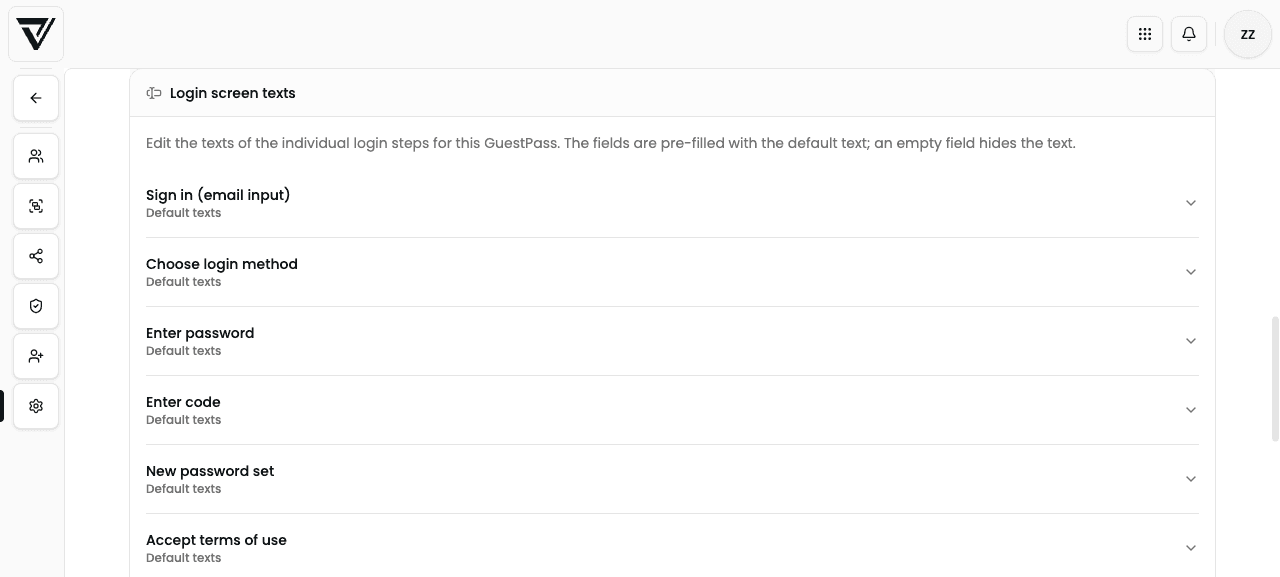
Here you override title, help text, and optionally body for each step. Fields are prefilled with the default text:
| Step | When it appears |
|---|---|
| Sign in (email entry) | Start of login |
| Choose sign-in method | Multiple methods enabled |
| Enter password | Password method |
| Enter code | One-time code method |
| Set a new password | Set / reset password |
| Accept terms | Terms required and not yet accepted |
| Send request? | Manual approval, unknown email |
| Request sent | After submitting a request |
| Sign-in link sent | After requesting a magic link |
| Error | Error in the flow |
- An empty field hides the text (title or help).
- Customized steps are marked Customized, untouched ones Default texts.
- Save applies to the whole sign-in texts block.
Danger zone: delete portal
At the bottom you find the danger zone.
Delete VisitorHub removes the portal irreversibly – including all users and groups. Shares that were only reachable through this portal become unusable for guests.
See also
- Authentication – methods, language, and SMTP
- Registration requests – approve and decline
- Guest login – what recipients experience