

Open VisitorHub
How to reach VisitorHub management in VAULO.
VisitorHub is a paid add-on. Once it is enabled for your organization, open management as follows:
Open the waffle menu. Click the 3×3-dot icon (waffle) in the top right.
Choose VisitorHub. Under My add-ons you will find VisitorHub. A click opens the overview of all portals.
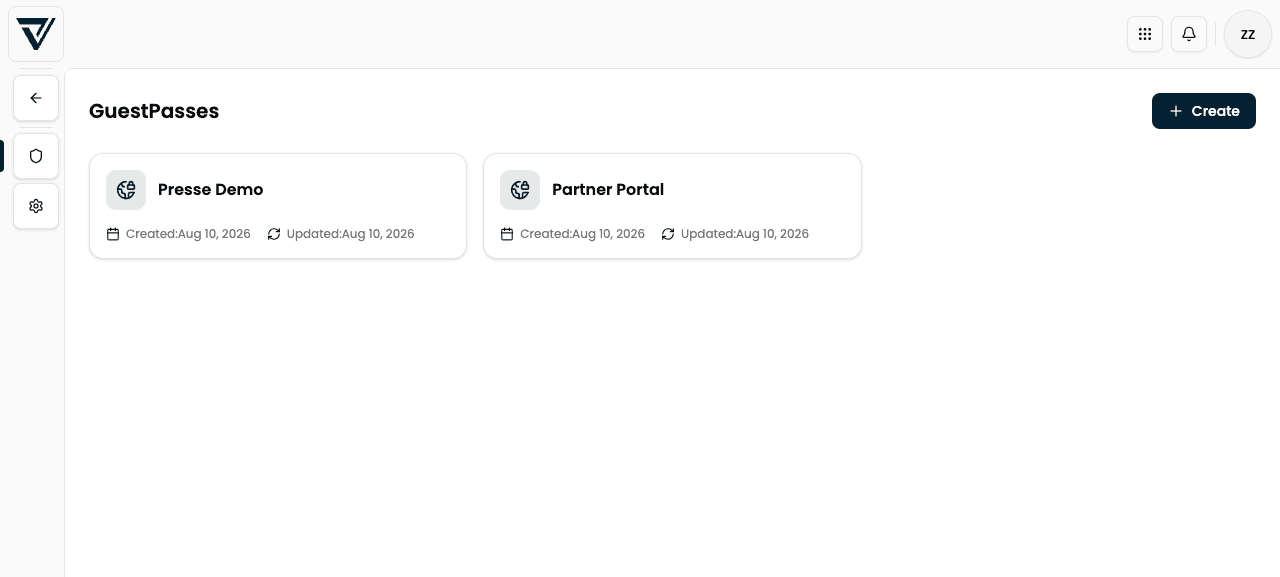
The overview shows each portal as a tile with name, created date, and last updated date. Use + Create to add a new portal; click a tile to open the detail view with the Users, Groups, Shared content, Authentication, (optional) Registration requests, and Settings tabs.
If VisitorHub is missing from the waffle menu, the add-on is not active for your organization yet. Contact VAULO support or check under Add-ons whether VisitorHub can be subscribed.