Content
Define settings, access & security, and advanced options for your presentation.
Settings
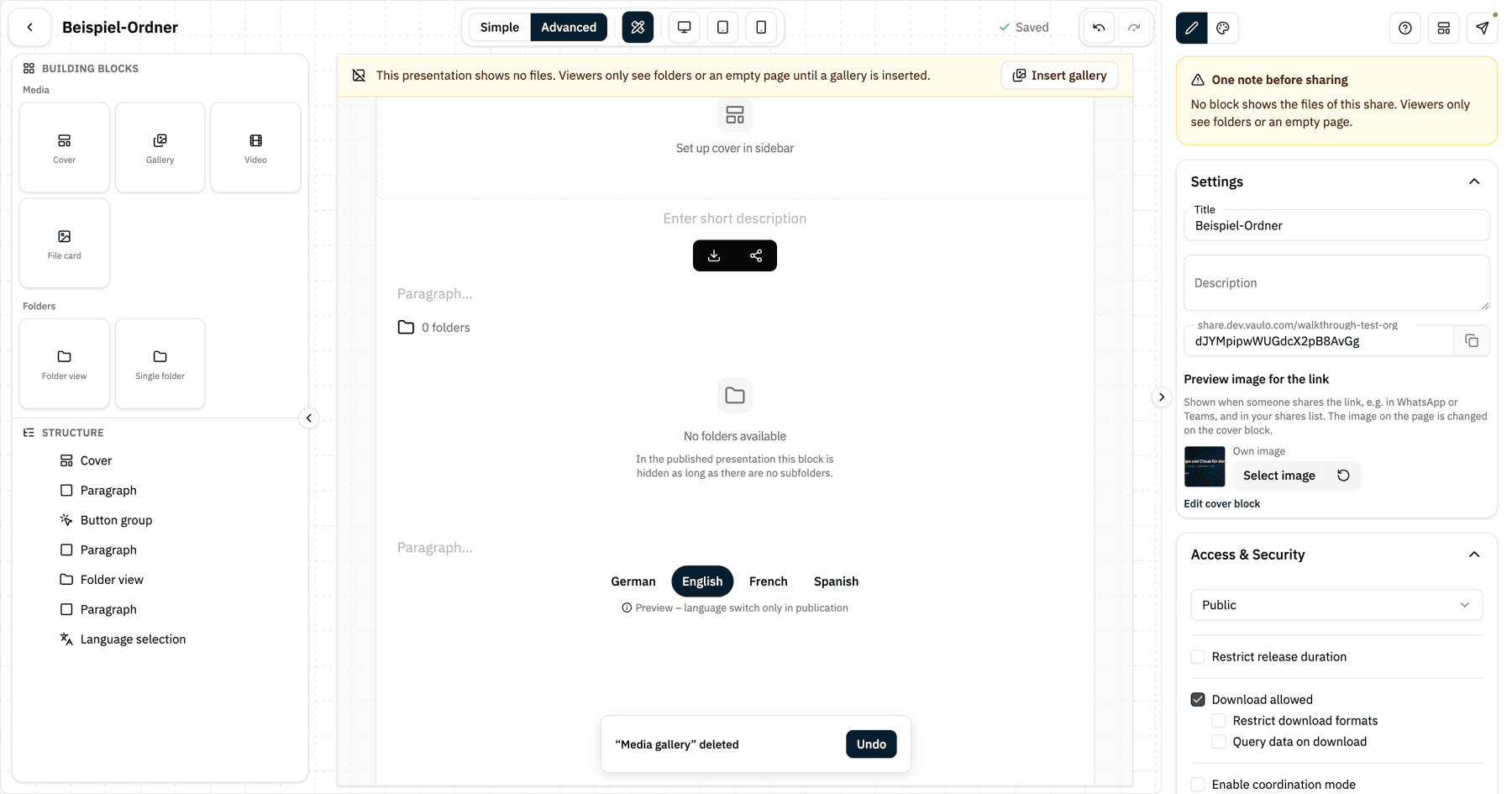
In the settings, you define the basic properties of your presentation:
- Title: The folder name is used by default, but you can change it at any time.
- URL: Below the title, you will see the URL of your presentation. Use the Copy button to copy it to your clipboard. You can customize the URL path by clicking the input field next to the copy button and entering your desired name. The field always shows exactly the link that the copy button puts on your clipboard.
- Preview image for the link: This image is shown when someone shares the link, for example in WhatsApp or Teams, and in your shares list. Without an image of its own it uses the page's cover. The image on the page itself is changed on the cover block – the Edit cover block link takes you straight there.
Access & Security
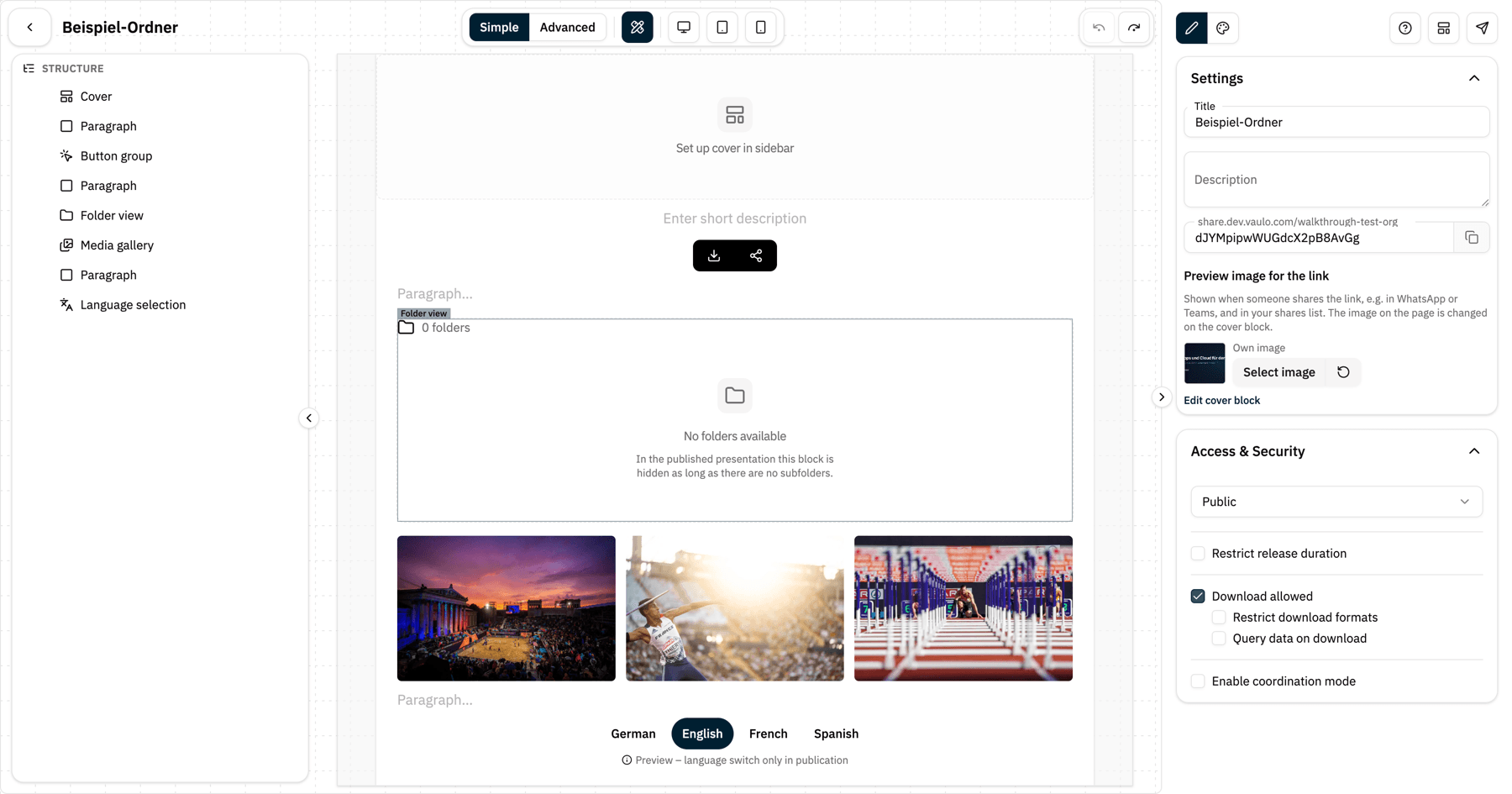
This section controls who can access your presentation:
- Visibility: Choose between public and password-protected. For password-protected presentations, set the desired password.
- Access period: Optionally restrict the time frame during which the presentation is accessible.
- Download: Allow or disallow downloading from the presentation. If you allow downloads, you can additionally restrict download formats and the maximum available image size. You can also enable the Request downloader data feature to collect information from people who download files.
- Sharing allowed: Enable this option to allow the presentation to be shared via social media channels.
- Approval mode: Enables collaboration with external partners, clients, agencies, or stakeholders on images, videos, and other media.
Advanced Settings
Here you define whether your presentation consists of multiple pages (a home page and subpages) or just a single page. In Simple mode this section is hidden while the presentation has a single page.
Notes before sharing
At the top of the Content tab, a Notes before sharing card appears as soon as the studio finds something in the structure of your presentation that would confuse viewers. The Distribute button in the top right then carries a dot. The studio checks:
- Whether at least one block shows the files of the share (gallery, media overview or one-pager gallery). Without one, viewers only see folders or an empty page.
- In multi-page presentations: whether all galleries are visible on one page only, leaving the other pages without files.
- Whether a visibility rule points at a gallery that no longer exists.
- Whether headings or quotes are still empty.
Every note has a Go to block button that jumps to the affected block. Nothing is changed automatically, and you can still share the presentation.