

Manage users
Create, edit, and import VisitorHub users, ban accounts, and assign roles.
On the Users tab you see everyone who may sign in to this portal – created manually, imported via CSV, or approved through self-registration.
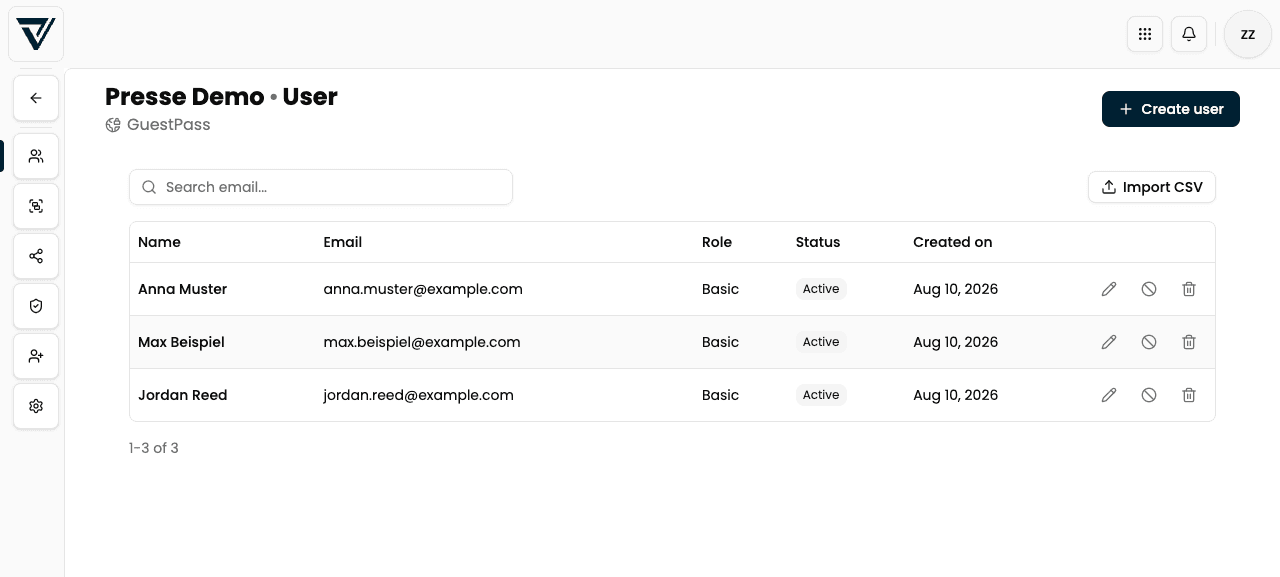
The table
| Column | Meaning |
|---|---|
| Name | Display name |
| Login address (unique in the portal) | |
| Role | Basic, Premium, or Admin |
| Status | Active or Banned |
| Created | When the user was added |
Use Search email… to filter the list. Each row has actions to edit, ban/unban, and delete.
Create a user manually
Click Create user.
Enter Name and Email (required).
Optionally select one or more groups the person should join immediately.
Confirm with Create.
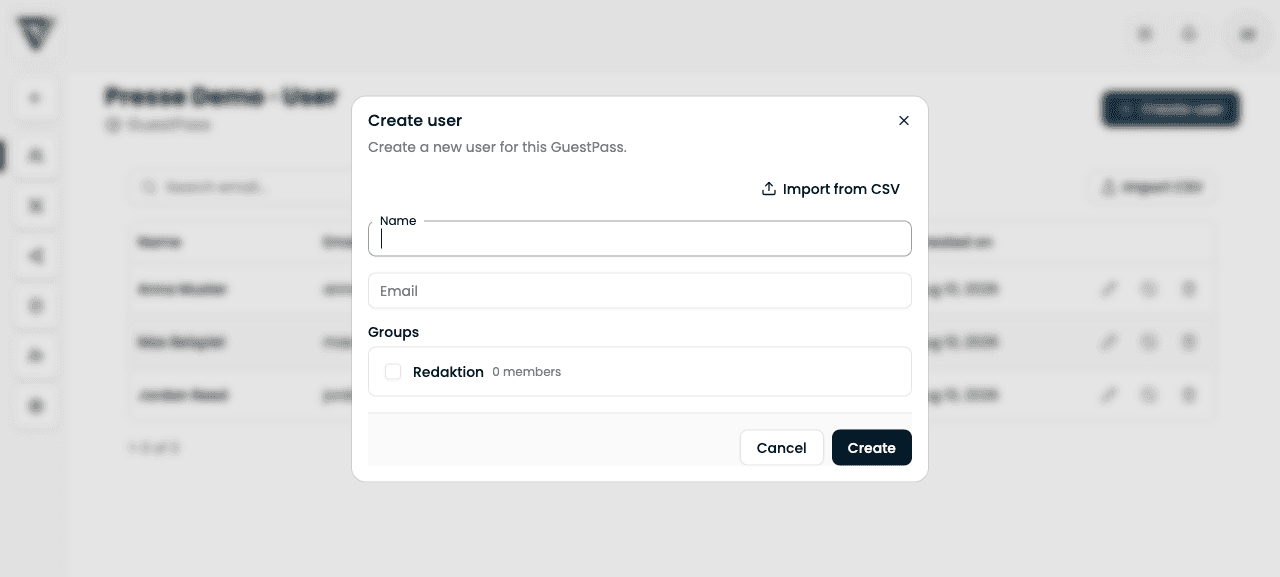
From the dialog you can also open CSV import via Import from CSV.
Edit a user
Use the pencil icon to open Edit user:
| Field | Meaning |
|---|---|
| Name | Change display name |
| Role | Basic or Premium (see below). Admin only appears if the person already has that role – you can downgrade them, but you cannot assign a new Admin role here |
| Groups | Checkboxes for membership in this portal’s groups |
Save writes name, role, and group memberships.
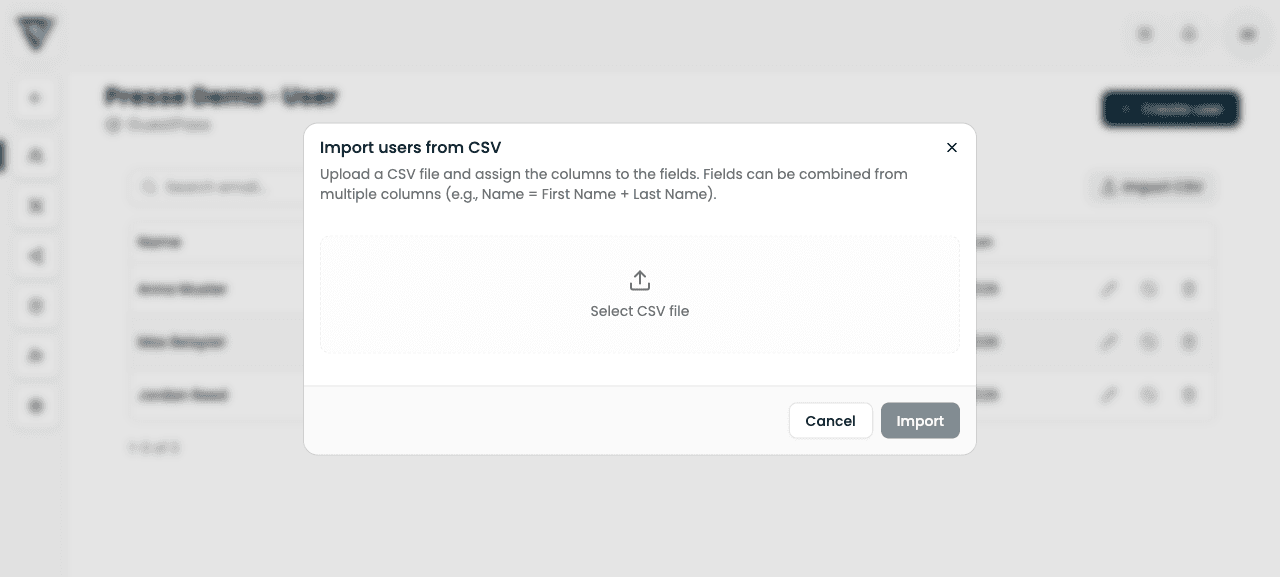
Import users from CSV
For larger recipient lists:
Click Import CSV (or Import from CSV in the create dialog).
Choose a CSV file.
Map columns to Email, Name, and optionally Role.
Check the preview. Rows without a valid email or without a name are skipped.
Optionally assign groups to all imported people.
Start the import.
Roles: Basic, Premium, and Admin
| Role | Rights |
|---|---|
| Basic | Normal viewer access to distributed content |
| Premium | Additionally: create own share links from released presentations (when the presentation allows it) |
| Admin | Manages this VisitorHub (not newly assignable from the normal edit dialog) |
You set the role on the user and via a group’s member role (group Premium overrides the individual role for members of that group) – see Groups.
Ban and delete
Ban
In the Ban user dialog:
- The person can no longer sign in
- Optional: Reason (optional) – stored with the ban
- The person stays in the list with status Banned and can be unbanned
Delete
Delete permanently removes the user from this portal (with confirmation). This cannot be undone.
Banned users cannot sign in to the VisitorHub portal, but remain available and can be unbanned at any time.
Content visibility
Whether a signed-in person sees anything is not only about registration: a share must also be distributed to the user or to one of their groups. Without distribution the portal looks empty – see Distribute a share.