

Navigation Bar
A top bar with branding, curated menu items and quick actions – all edited right in the sidebar.
A top bar with branding and selected links. It provides curated navigation and differs from the full folder tree.
Typical use:
- Header area of a share
- Brand presence with logo or title
- Direct links to important folders, sections, or pages
- VisitorHub pages with a sign-in or account action
- A fixed menu item where signed-in visitors find their shares
Everything in the sidebar
Click the bar on the canvas. The sidebar then shows exactly what makes up the bar – in the same order it appears on screen: Brand on the left, Menu items in the middle, Actions on the right at the right edge. Below them sits Display for the look of the bar itself.
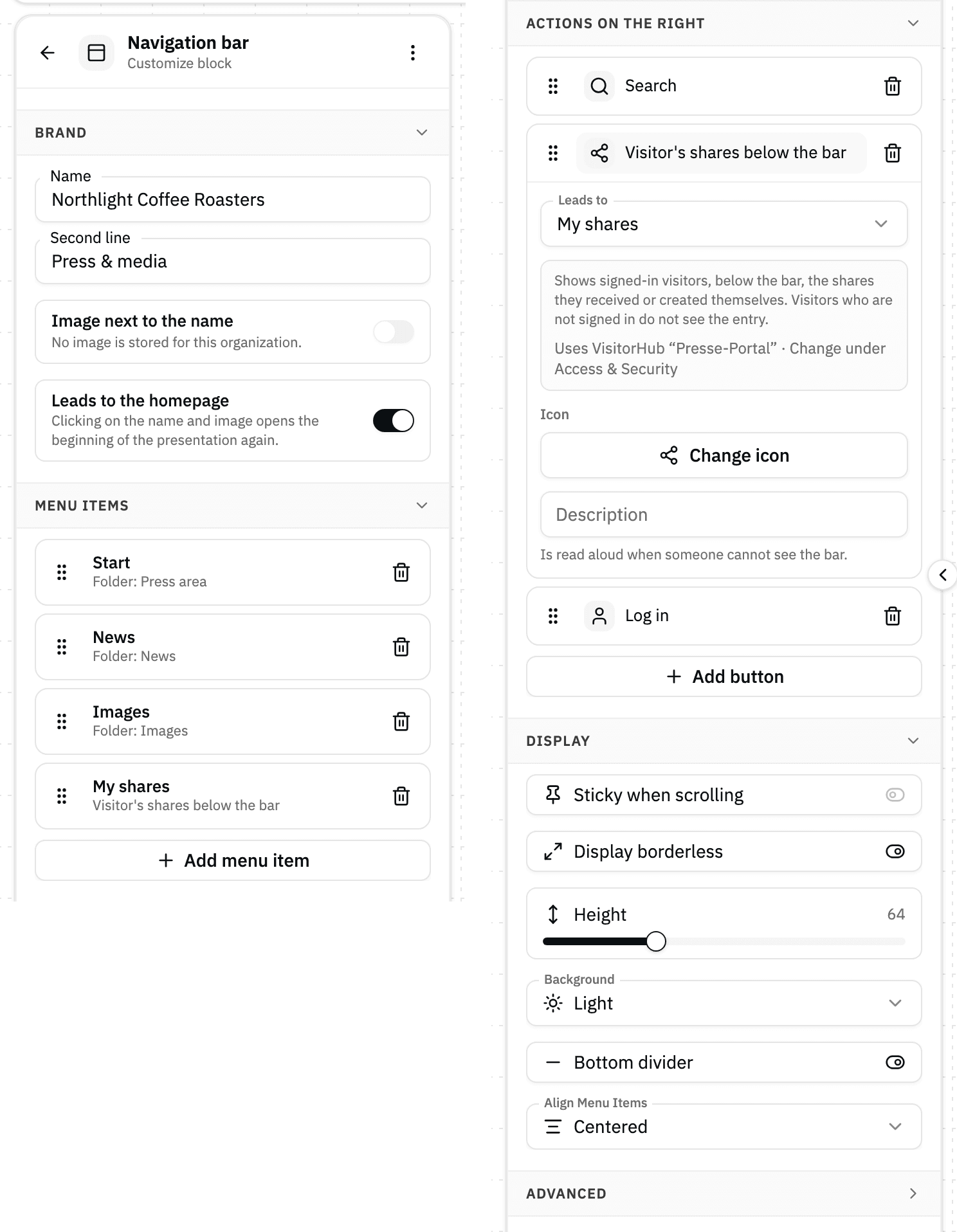
Every change shows up on the canvas immediately – there is no Save and no Cancel. Made a mistake? ⌘Z (Ctrl+Z on Windows) takes one step back, just like any other change in the presentation.
Brand
- Name – the text at the far left of the bar
- Second line – an optional smaller line below it, for example a department or claim
- Image next to the name – shows an image left of the text. You can choose your organization's symbol (square), its logo (wide), and – when the share is bound to a portal – the VisitorHub logo, the portal's own logo (see Login page). If the portal has no logo of its own, the bar falls back to the organization logo. Tiles you cannot choose say why: "Not stored" or "Without own logo". If no image is stored for your organization at all, the toggle stays off.
- Leads to the homepage – clicking the name and image opens the beginning of the presentation again
Menu items
Collapsed, every entry is one line: its name, and below it where it leads – for example "Press" and "Folder: Press". That way the list reads like the finished menu. An entry leading to My shares starts out named "My shares" – you can rename it – and reads "Visitor's shares below the bar" underneath.
Clicking the line expands the entry:
- Name in menu – what viewers read
- Leads to – Folder, Section, External link, or My shares; if the presentation has several pages, Page is added. Below it you pick the destination from a list; only External link is a field you type into. My shares needs no further destination – see My shares below the bar.
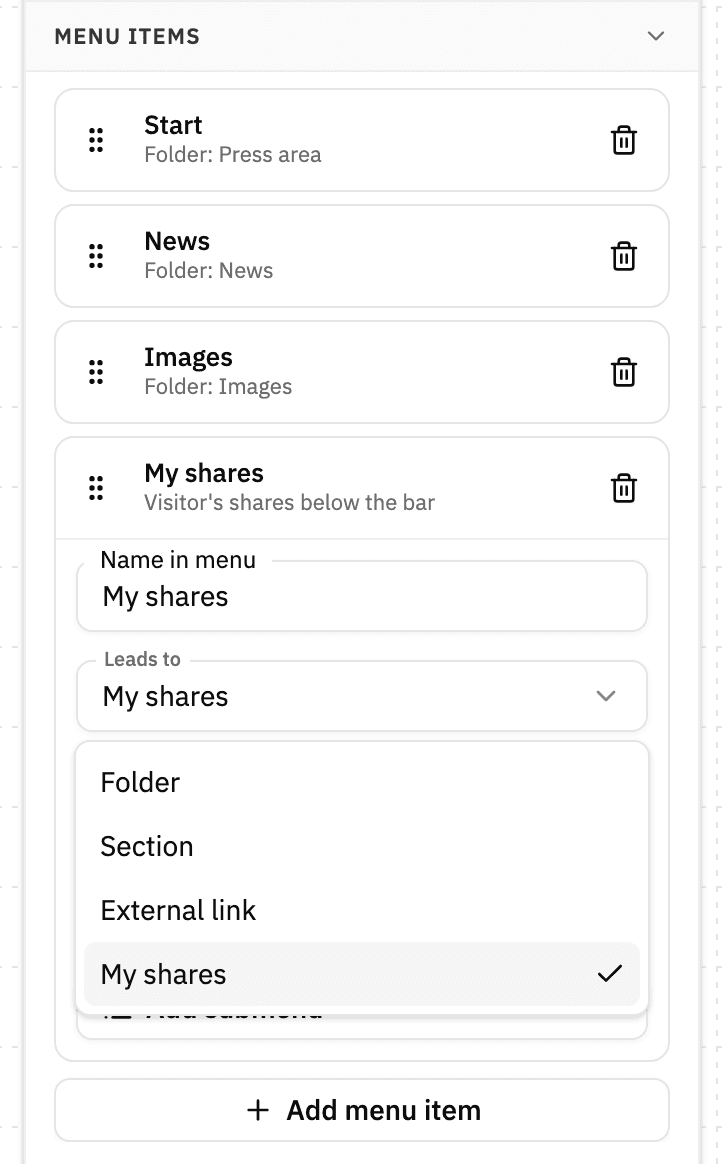
Valid addresses are full web addresses (https://…), mail and phone links (mailto:, tel:), anchors (#section), and paths inside the share (/path). If an address is missing its beginning, the sidebar points that out – the entry is still shown, so older presentations keep working.
Add submenu (later Edit submenu) opens a small dialog for the panel that unfolds when a viewer points at the menu item: From the subfolders fills it automatically from the folder structure and keeps it up to date, Build it yourself lets you define columns and entries. Here too everything applies immediately; Done only closes the dialog.
You change the order with the handle on the left – drag it with the mouse, or use the keyboard: space to pick up, arrow keys to move, space to drop. The trash icon on the right removes an entry, Add menu item adds a new one. A freshly inserted bar starts with the entry Start, pointing at the share's folder.
Unfinished entries
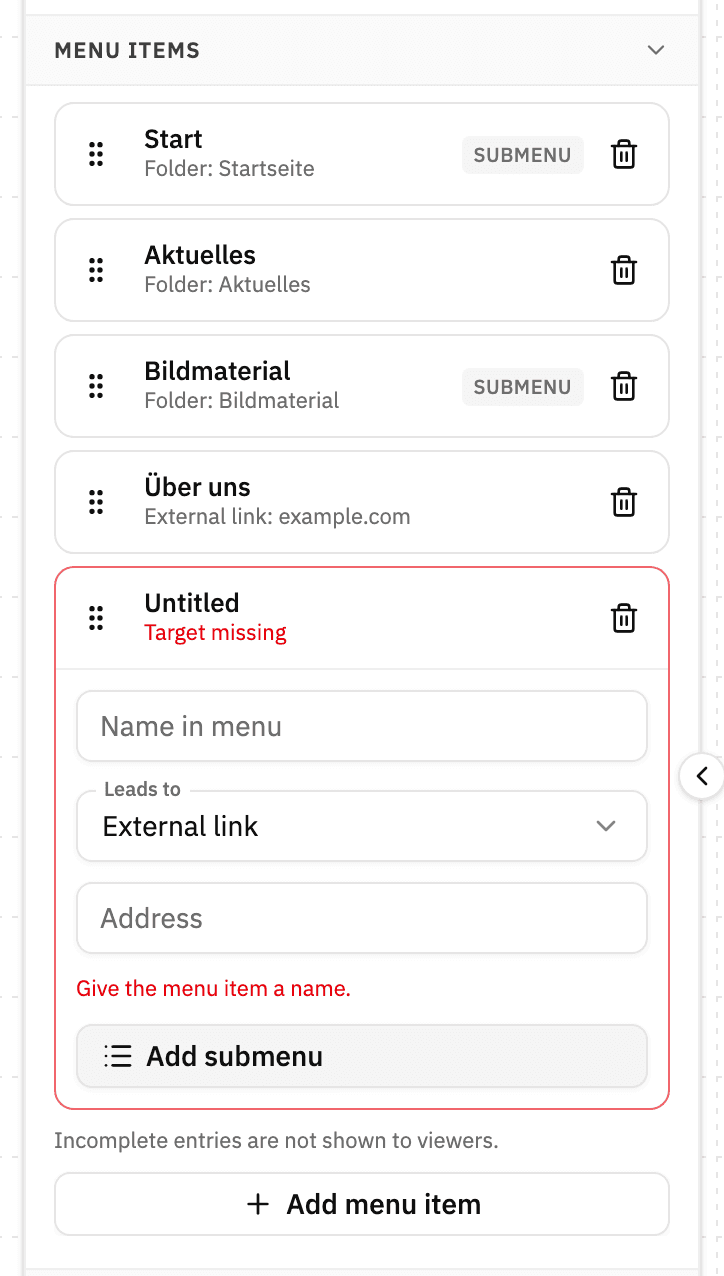
An entry without a name or without a target does not disappear – it stays marked and tells you what is missing ("Target missing", "Give the menu item a name."). Viewers are not shown it until it is finished. So you can stop halfway without a dead link appearing in the published bar.
Actions on the right
At the right edge sit quick actions as plain icons: Download, Share, Search, My shares, and Log in. You pick the destination just like for a menu item, can swap the icon, and can store a description that is read aloud for anyone who cannot see the bar. Download, share, and search use the share's settings – there is nothing else to set up. Download always offers all files of the presentation, even when someone is in a subfolder. My shares starts with a share icon and opens the same view as the menu item of that name.
The Icon field shows the chosen icon itself, next to Change icon. Clicking it opens the picker, where you search for a different icon. The icon field works the same way in the other blocks' sidebars.
Log in needs a selected VisitorHub. Which one the share uses is not set in the block but in the share settings under Access & security (access level VisitorHub or Offer login) – the sidebar names the bound portal and links there. Without a selected VisitorHub the sign-in action stays hidden for viewers. Signed-in viewers see the account menu with My shares, Manage account, and Sign out in its place.
My shares below the bar
With the destination My shares – as a menu item or as an action on the right – signed-in visitors find their shares without leaving the presentation. Clicking it keeps the page's header: the navigation bar and everything that belongs to the top of the page with it – cover, breadcrumb, hamburger menu, or language switcher, in any order. Everything below is replaced by the list of their shares, with the toggle Shared with me | Created by me (the second part only for visitors who may share themselves).
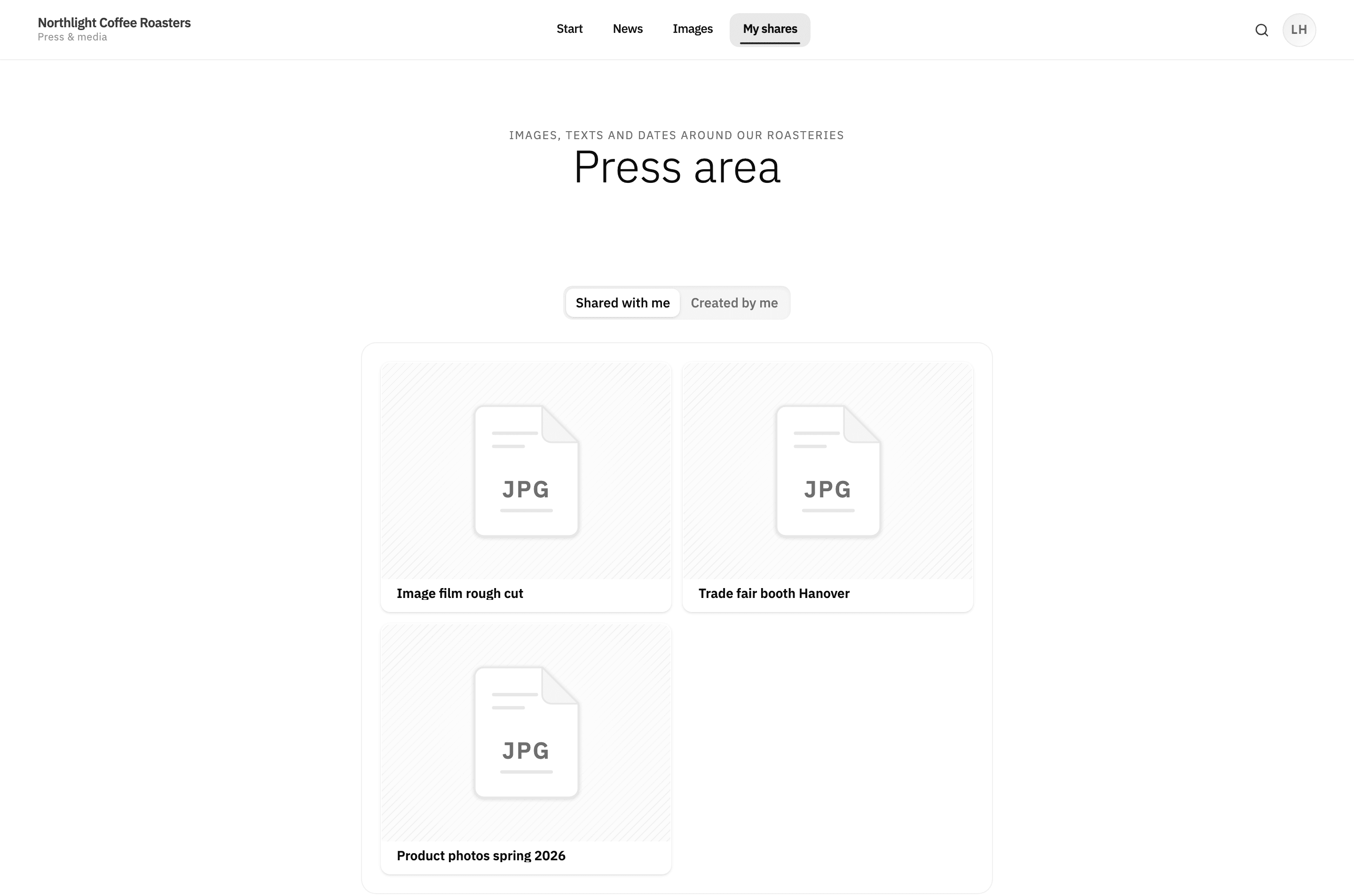
- The menu item stays highlighted while the view is open.
- The view has its own address (ending in
/p/my-shares), so reloading, links to it, and the browser's back and forward buttons work as usual. - Start, any other folder link, or a click on the brand leads back into the presentation.
Who sees the entry: by default only signed-in visitors of a share with a VisitorHub. Shares without a selected VisitorHub (Access & security → Offer login) never show the entry. In the editor it stays visible; if the VisitorHub is missing, the sidebar points that out. Anyone who opens the view's address without being signed in is asked to sign in.
Show without sign-in: Many visitors never think of clicking the account icon. Turn on Show without sign-in for the entry, and visitors who are not signed in also see My shares in the bar – as an invitation to sign in. A click opens the view, which first asks them to sign in and then shows their shares. The setting applies per menu item and per action and starts out off.
My shares in the account menu (click on the name at the top right) still opens the full-page My shares page – the visitor's personal area. The menu item and the action in the bar, by contrast, are part of the presentation and show the list below its header.
Display
- Sticky when scrolling – the bar stays visible at the top of the screen while scrolling past it
- Display borderless – the bar runs edge to edge past the page padding
- Height – 40 to 120 pixels
- Background – transparent, light, muted, dark
- Bottom divider
- Align menu items – left, centered, right
What the bar looks like for viewers

On a share with Offer login, the navigation bar's sign-in action (or a login block) is the only way to sign in. Without either, viewers cannot use their VisitorHub account on this share.